



Hardware security keys are the gold standard of enterprise 2FA. No serious security professional disputes that. The problem is not the YubiKey’s security properties – it is everything that comes with running them at scale.
1. The Real Cost of Hardware Keys at Scale
The operational model for hardware security keys breaks down quickly in large or distributed organizations:
- Procurement and distribution: keys must be ordered, inventoried, and shipped to every employee. For remote or distributed teams this means delays, cost, and customs complications – and best practice recommends a backup key per employee in case the primary is lost
- Loss and damage: a lost key is an immediate work-blocking event. Replacement workflows must be secure enough not to become a social engineering attack surface
- Onboarding and offboarding: high-turnover environments – BPOs, call centers, seasonal workforces – face a continuous procurement and retrieval cycle that scales poorly
- USB restrictions: in regulated environments like trading floors, USB ports are often locked down by security policy – blocking the key before it can even be used
2. Phones Aren’t Always the Answer Either
The common fallback when hardware keys are impractical is a phone-based 2FA/MFA. But this comes with its own problems:
- In regulated industries – finance, insurance, BPO – personal phones are frequently banned on the floor entirely
- Employees cannot be legally required to install company software on personal devices in many jurisdictions
For organizations that need to respect employee privacy and operate where phones are banned, the choice appears to narrow to YubiKey or nothing. That framing is wrong.
3. The Third Option: Typing Biometrics
TypingDNA Verify offers a genuinely different model: the user types 4 words, and the system verifies their identity by analyzing how they type: rhythm, speed, time between keys. It is a behavioral biometric, something you are, independent of passwords and PINs.
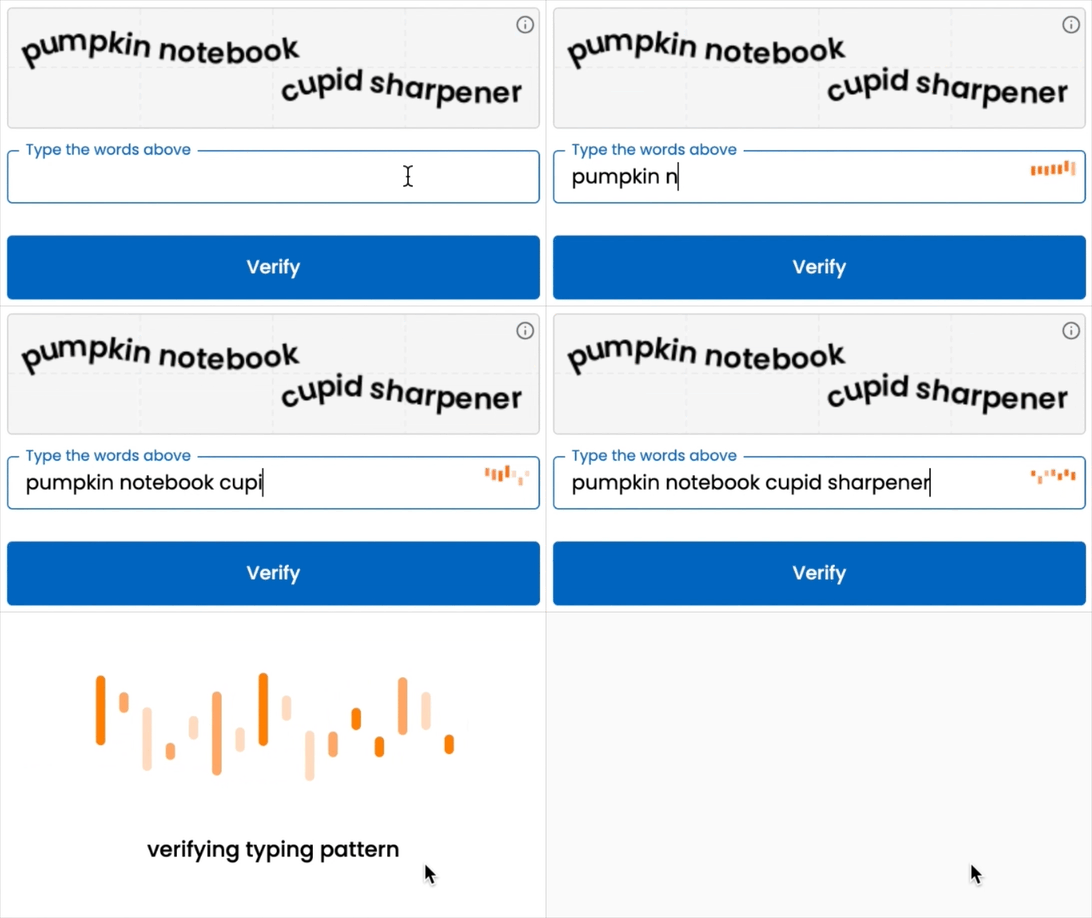
What makes it operationally practical:
- No hardware, no phone, no app – just the keyboard the employee already uses
- Enrollment takes seconds. Offboarding is instant in the IAM.
- Native OIDC integration with Microsoft Entra ID, Okta, Ping Identity, Keycloak, ForgeRock – no coding required
- Already accepted in regulated environments including finance, insurance, and BPO where phones are banned
4. Use Both, Strategically
This is not a claim that typing biometrics replace hardware keys for every use case. The right model is to deploy both:
- Privileged accounts, admins, executives: hardware keys only, where the security ceiling justifies the operational overhead
- General workforce: TypingDNA Verify – practical, compliant, no hardware dependency
- Phone (where allowed): available as an optional method for employees who prefer it, but never required
This structure also solves a compliance requirement that is easy to overlook: every organization should offer at least two compliant MFA options that do not depend on a personal device. With only hardware keys, a lost key becomes a work-blocking event with no compliant fallback. Adding TypingDNA eliminates that gap, and reduces the need for backup hardware keys.
5. Conclusion
The perception that phone-free 2FA/MFA means “YubiKey or nothing” has led many organizations into one of two bad outcomes: the operational friction of hardware keys at scale, or quietly abandoning strong MFA because it isn’t practical.
Typing biometrics break that binary. Use hardware keys primarly where the security ceiling matters most. Use TypingDNA everywhere else. Make phone-based methods optional. Every employee gets a compliant, phone-free MFA option, no exceptions.
Contact us to learn more about TypingDNA Verify and how it integrates with your IAM.