


If you’re looking for an alternative to hardware security keys like YubiKey, you will find plenty of options: passkeys, authenticator apps, Windows Hello, smart cards, other hardware tokens.
But most of these alternatives have something in common. They replace one authentication device with another.
There is another option: don’t use an additional device at all.
1. Hardware Keys Are Great, Until You Have to Manage Thousands of Them
Let’s get this out of the way first: hardware security keys are probably the strongest practical authentication method available today. FIDO2 hardware keys are phishing-resistant and extremely difficult to compromise remotely.
For privileged administrators, executives, and other high-risk users, they are hard to beat.
The problem is not security. The problem is what happens when you try to give one, or preferably two, to every employee in a large organization.
Keys need to be purchased, distributed, enrolled, removed, replaced when lost or damaged, and managed through onboarding and offboarding. In a company with high employee turnover or employees distributed across multiple countries, this becomes a real operational process.
And a lost key isn’t just an inconvenience. The employee may simply be unable to work until there is a secure recovery method or replacement available.
This is why hardware keys make perfect sense for some employees without necessarily making sense for everyone, and even for those that use them, an alternative method should be aways available.
2. Replacing the Key With a Phone Doesn’t Solve Everything
The obvious alternative is phone-based MFA/2FA: Microsoft Authenticator, Okta Verify, Google Authenticator, SMS OTP, push notifications, or a passkey stored on a mobile device.
This works well for many organizations.
But it also creates a dependency on another physical device, except now that device often belongs to the employee.
As we’ve discussed before, this becomes a problem in BPOs, call centers, financial environments, government contractors and other workplaces where personal phones may be restricted or completely prohibited.
Even where phones are allowed, requiring employees to use their personal phones for corporate authentication creates its own BYOD, privacy and support problems.
So if you don’t want to distribute hardware keys and you don’t want to depend on personal phones, what is left?
3. The Alternative Is Already on the Employee’s Desk
A keyboard.
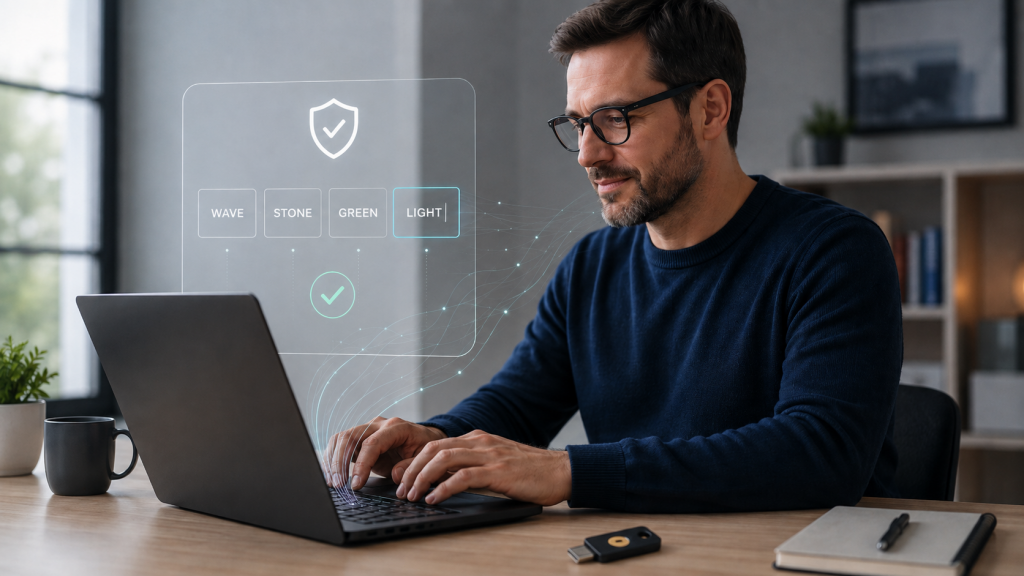
TypingDNA Verify 2FA takes a different approach to authentication. Instead of proving possession of another device, it verifies the user through a behavioral biometric – the way they type.
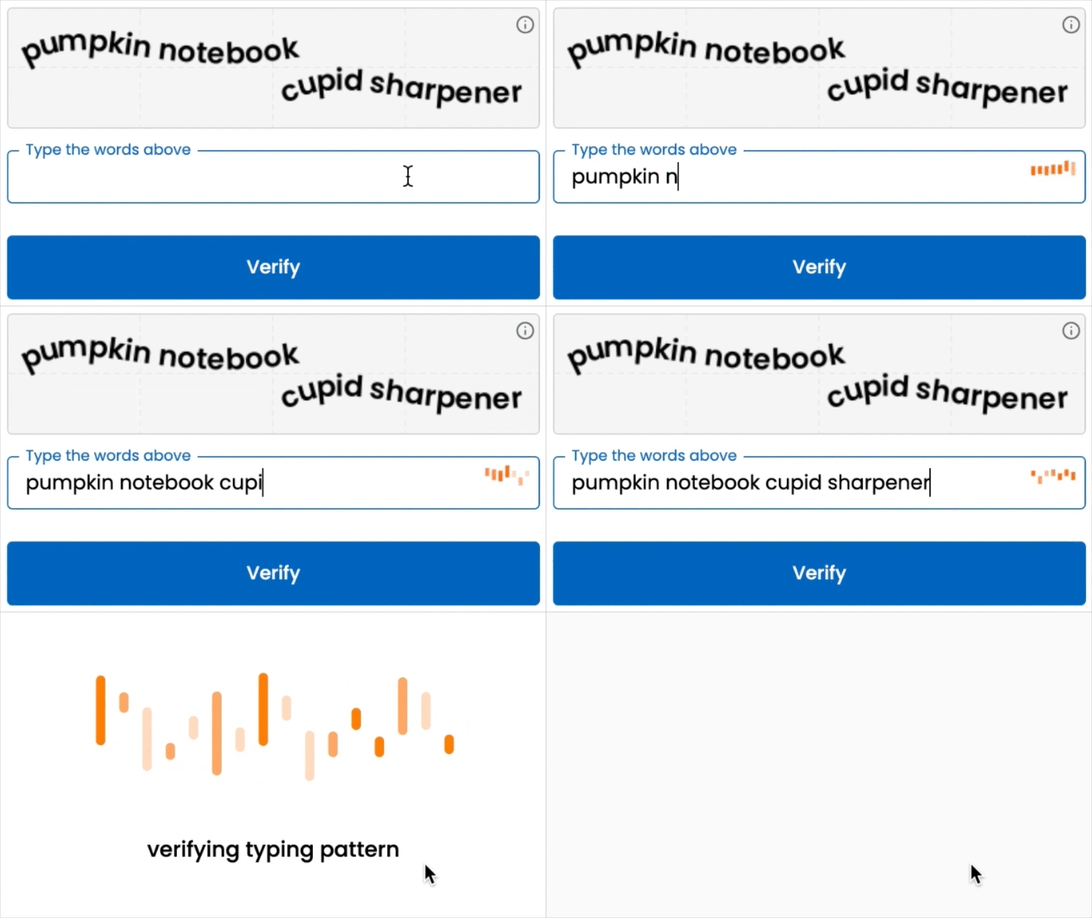
The employee is shown 4 words and simply types them. TypingDNA analyzes the typing pattern, including the typing style and timing between keystrokes, and determines whether it matches the enrolled user.
There is nothing else to carry.
No phone. No hardware token. No app to install.
And because almost every employee already has a keyboard, there is no additional authentication hardware to distribute.
Bonus Option: Portable Vault
There is also another approach for organizations that actually want something portable, but don’t necessarily need a dedicated hardware security key.
TypingDNA Portable Vault (available for selected clients as Private Preview) is a local-first desktop app that can run from a computer or USB stick and stores 2FA/TOTP secrets, passwords and secured notes in an encrypted vault. Access is protected using TypingDNA, with the encryption key kept separately from the vault itself. It gives organizations another phone-free option, particularly when users need their authentication secrets and other sensitive information to travel with them.
4. This Doesn’t Mean Throw Away Your YubiKeys
Typing biometrics and hardware security keys don’t have to compete for exactly the same use case.
A FIDO2 hardware key provides cryptographic phishing resistance that typing biometrics does not. If that is the requirement, particularly for high-risk or privileged accounts, use the hardware key.
But applying the same authentication method to every employee is not always the best security architecture either.
A more practical model for a large enterprise can look like this:
- Privileged and high-risk users: hardware security keys (and mandatory another alternative factor)
- General workforce: TypingDNA Verify 2FA (and ideally another factor)
- Phone-based 2FA/MFA: available where appropriate, without making a personal phone mandatory
Verify can also work as a backup to hardware keys. If a key is lost or forgotten, the alternative does not necessarily need to be another backup key.
This is especially relevant for organizations with thousands of employees, high turnover, restricted-phone environments, remote workers, contractors, or employees spread across multiple countries.
5. Stop Thinking About the Second Factor as Another Device
For years, 2FA has increasingly meant taking something else out of your pocket.
First it was an OTP token. Then an SMS code. Then an authenticator app. Then a push notification. Then a hardware security key.
All of these approaches can work, and hardware security keys in particular provide excellent security.
But the second factor does not necessarily have to be another physical object.
TypingDNA Verify uses something the employee already does naturally every day: typing.
For many organizations, that may be the missing alternative between issuing hardware keys to everybody and requiring everybody to use a phone.
The best alternative to a hardware key may simply be no additional hardware at all.
Try TypingDNA Verify 2FA or contact us to see how phone-free and hardware-free 2FA can work with Microsoft Entra ID, Okta, Ping Identity, Forgerock, Keycloak, and other IAM platforms.