



Updated Sep 2026
What is typing biometrics?
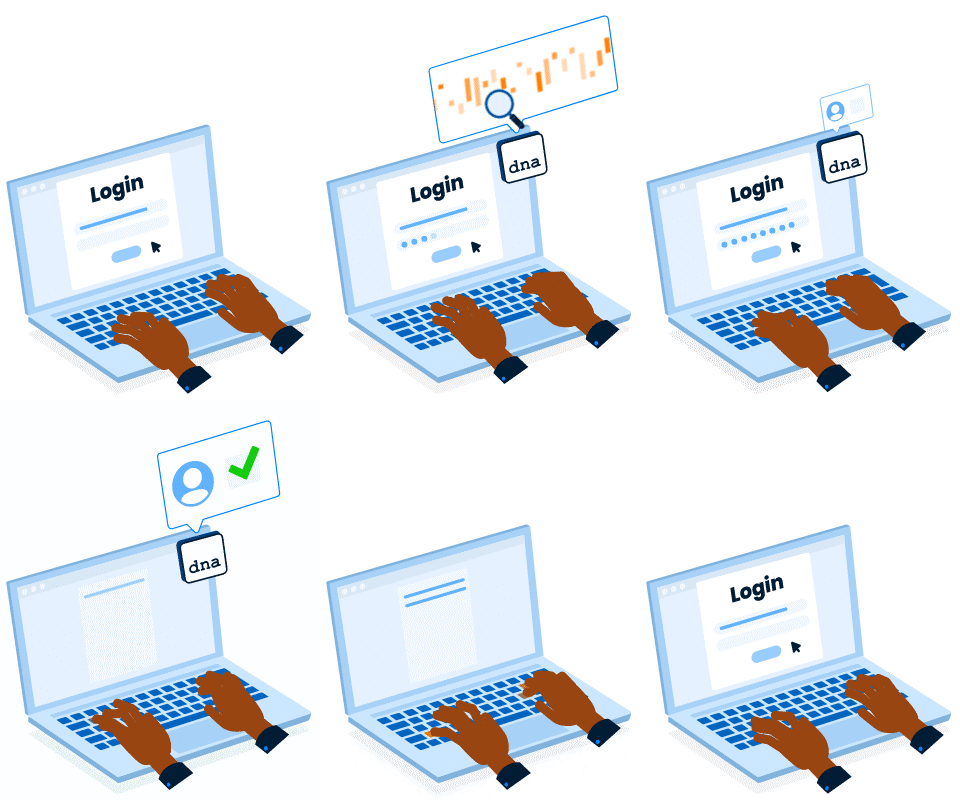
Typing biometrics, also known as keystroke dynamics, is a form of behavioral biometrics embedded in people’s behavior when they type on a keyboard. Typing-based authentication seamlessly validates the identity of a user by the way they type and is applicable as a user-friendly solution for two-factor authentication (2FA) and continuous authentication.
Besides physiological biometrics (fingerprint, facial identification, or retina scan), other metrics look into patterns in human behavior, called behavioral biometrics. Typing biometrics is a form of behavioral biometrics that analyzes users’ typing behavior to validate their identity.
And, because in almost any household, you can find a physical or virtual keyboard, typing biometrics is one of the most widely available forms of behavioral biometrics worldwide.
How does keystroke biometrics work?
Keystroke dynamics, or typing biometrics, work by matching a user’s typing patterns to authenticate their identity. When the user first registers, samples of their typing behavior, called “typing patterns,” are analyzed.
Typing patterns are determined based on an average person’s keystroke dynamics analysis of the 44 keys used most frequently. Every person has a different typing pattern, which includes the duration of pressing a key (“press time”) and how long it takes a user to find the next key (“seek time”= key1 down to key2 down). Others measure “flight time” = key1 release to key2 press. The technology also uses data from device-incorporated sensors to define how the user interacts with a device while they type.
Typing biometrics use cases
Typing biometrics use cases include identity verification both at login and continuously after login takes place. The reason authentication with typing biometrics applies very well to workforce, and customer authentication is because it’s frictionless and takes place in the background.
Unlike more intrusive biometrics, such as facial identification or retina scans, which hinder the authentication process, typing-based authentication is built with privacy by design and never looks at what users type, only at HOW they type.
Our main typing biometrics use cases and products:
- Phone-free two-factor authentication with Verify 2FA to replace phone-based 2FA and streamline customer UX
- Phone-based typing biometrics authentication with SMS Plus to prevent SMS OTP identity theft risks
- Workforce continuous authentication with ActiveLock to monitor unauthorized access on company devices
What’s next?
- If you’re looking for workforce security, learn how to achieve Zero Trust with Continous Endpoint Authentication (TypingDNA ActiveLock).
- If you want to add a phone-less 2FA to your workforce IAM authentication, or improve your customers’ UX during login and authentication, learn more about TypingDNA Verify 2FA, watch the demo, or try it yourself!
- If you’re a researcher, developer or university student who wants to learn more about typing biometrics technology, get started with the Short Phrase demo.